TechxArtisan Shop
Openterface KeyMod | Pocket USB Multi-Tool for Phone-Powered Control
Openterface KeyMod | Pocket USB Multi-Tool for Phone-Powered Control
Couldn't load pickup availability
🚀 Now Live on Crowd Supply!

The Openterface KeyMod campaign is now live on Crowd Supply. Back the campaign and help us bring this pocket USB multi-tool into production.
Campaign: August 20 – October 1, 2026
Estimated delivery: February 2027
Openterface KeyMod
A pocket USB multi-tool bridge for tech professionals, makers, and gaming.
Turn your phone into a keyboard, mouse, touchpad, gamepad, presentation remote, shortcut deck, terminal, and more. Just plug KeyMod into the target device, open the KeyCmd app, and take control.
No drivers. No Wi-Fi. Works in BIOS.
One Bridge. Multiple Ways to Work.
Plug KeyMod into a PC, server, mini PC, kiosk, Raspberry Pi, embedded system, or another compatible device. Your phone then becomes a portable control console through the KeyCmd app.
With KeyMod and the KeyCmd app, you can:
- Keyboard & Mouse: Use your phone as an HID keyboard, mouse, touchpad, or numpad. It works before the operating system loads, including in BIOS.
- Compose & Send: Draft long commands, license keys, or other text on your phone, review it, and send it to the target as real keystrokes.
- Macros: Create and replay custom key sequences with adjustable timing, scheduling, and repeat controls.
- Shortcut Hub: Use one-tap shortcut profiles for tools such as Blender, KiCad, Fusion 360, Photoshop, and VS Code, or create your own.
- Presentation: Control Keynote, Google Slides, and other presentations from your phone, with timer and black-screen controls.
- Gamepad: Use customizable on-screen controls for keyboard-and-mouse-driven games and emulators.
- USB Network Bridge & Terminal: Open SSH sessions from KeyCmd without Wi-Fi or an Ethernet connection on the target. macOS and Linux targets are supported today, while Windows RNDIS support is in development.
- AI Agent Mode (Experimental): Describe a task in plain language and let KeyCmd prepare a step-by-step workflow across Terminal, macros, HID input, and shortcuts for your approval before execution.
KeyMod appears to the target as standard USB hardware, so no special keyboard or mouse driver needs to be installed on the target device.
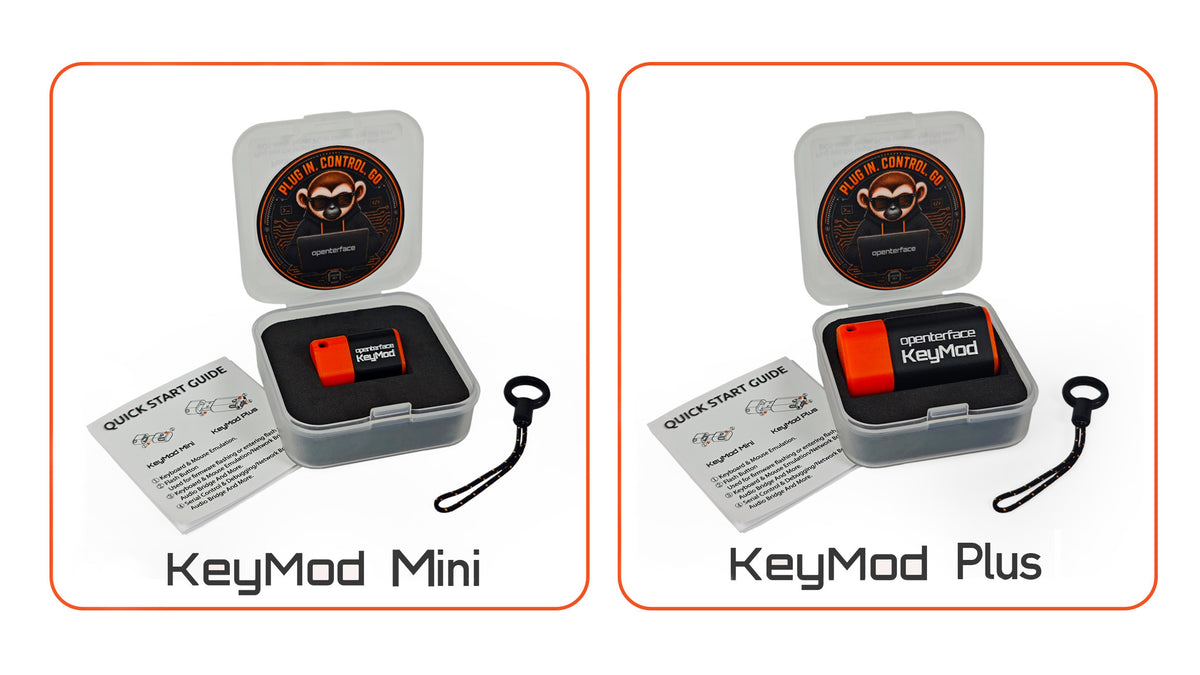
KeyMod Mini vs. KeyMod Plus
Same KeyCmd app. Different dongles for the port and workflow you need.
| Feature | KeyMod Mini | KeyMod Plus |
|---|---|---|
| Target connector | USB-C male | USB-A male |
| Phone-to-KeyMod connection | BLE 5.3 | BLE 5.3 or wired USB |
| Network speed |
Limited by BLE 2 Mbps |
Up to 10 Mbps through a wired USB connection |
| Strengths | HID, SSH, and compact | HID, SSH, intensive tasks (VNC, file transfers, etc.) requiring instant, stable and higher bandwidth |
| Where it lives | On a keychain or phone lanyard | On a keychain or attached to the target machine |
| Sweet spot |
Modern laptops, mini PCs, kiosks with front Type-C, everyday carry |
Servers, legacy PCs, rack-mounted and lab gear, long heavy sessions |
Both ship at launch, and both work with simple USB converters like A-to-C or C-to-A, so no port type is a deal-breaker.
Open by Design
KeyMod follows the same open-hardware and open-source philosophy as the Openterface Mini-KVM and KVM-GO. KeyCmd source code, firmware resources, hardware schematics, and PCB design files will be published as the project evolves.